Search for:
Google Ads for Local Service Businesses: How to Get More Customers in Your City
If you run a local service business—whether it’s plumbing, home cleaning, legal services, salons, or medical practices—Google Ads is one of the best ways to get more calls, bookings, and customers. But with so many businesses competing for attention, how do you make sure your ads stand out?

This guide will walk you through the exact steps to dominate local search results and grow your business with Google Ads.

1️ Run Targeted Google Search Ads

When people need a service fast, they turn to Google. Your ads should show up at the right moment when they search for things like:

“Best plumber near me”
“Emergency electrician in [your city]”
“Affordable house cleaning [your location]”

How to Set Up a High-Performing Search Ad:

🔹 Use location-specific keywords – Focus on your city or neighborhood.
🔹 Enable location targeting – Only show ads to people near you.
🔹 Use ad extensions to increase clicks:

  • 📍 Location Extension – Show your address & map.
  • 📞 Call Extension – Let people call you straight from the ad.
  • Review Extension – Display customer ratings for credibility.
  • 🏷 Offer Extension – Promote special deals (e.g., “10% Off First Booking”).

2️ Get on Top of Google Maps with Local Services Ads (LSA)

For local businesses, Google Local Services Ads (LSA) is a game-changer. These ads appear above search results and let customers call you directly.

How to Set Up Local Services Ads:

✔️ Sign up for Google Local Services Ads.
✔️ Pass Google’s business verification & background check.
✔️ Get the Google Guaranteed Badge (boosts trust & conversions).
✔️ Pay only for valid leads (unlike traditional PPC ads).

💡 Best for: Plumbers, electricians, HVAC services, cleaning companies, legal firms, and medical practices.

3️ Make Your Landing Pages Convert More Visitors into Customers

Even if your ads get clicks, a bad website can kill conversions. Your landing page should:

✔️ Be fast & mobile-friendly – People won’t wait for slow sites.
✔️ Have a clear CTA (Call-to-Action) – “Call Now” or “Get a Free Quote Today.”
✔️ Show trust signals – ⭐⭐⭐⭐⭐ Customer reviews, certifications, and awards.
✔️ Create urgency – “Limited Appointments Available – Book Now!”

A well-designed landing page can double your conversions without increasing ad spend!

4️ Smart Bidding & Budgeting to Get the Best ROI

If you’re a small business, you need to be smart with your budget.

🔹 Start with Maximize Clicks – To gather data quickly.
🔹 Switch to Maximize Conversions – Once you see what works.
🔹 Use Target CPA (Cost Per Acquisition) – To control spending on leads.

💰 Budget Tip: Start with $20-$50/day and increase based on performance.

5️ Retargeting: Turn Website Visitors into Customers

Not everyone books a service right away. Many people visit your website but leave without taking action. Retargeting ads can bring them back!

🔹 Google Display Remarketing: Show image ads to past visitors with offers like:

  • “Still need a plumber? Call now & get $20 off!”
  • “Book your cleaning service today & get 10% off!”

🔹 YouTube Retargeting Ads: Show video ads before YouTube videos.

  • Example: “Need an electrician? We’re available 24/7!”

🔹 Follow up on missed calls: Over 50% of calls from Google Ads go unanswered. Always call back!

🚀 Want More Customers? Let’s Get Started!

Google Ads can be a goldmine for local businesses when done right. If you need help setting up high-converting campaigns, reach out to us at magnifymindsmedia@gmail.com or visit www.magnifymindsmedia.in to get started today!


 

How to Use Google Ads to Increase Walk-Ins for Restaurants & Cafés

In the food industry, getting more customers through your doors is very difficult for success. Google Ads can help you to reach potential customer who are looking a place to eat now.
The key is to target local users and create ad around the local.

Here’s a step-by-step strategy to use Google Ads to increase walk-ins for your restaurant or café.


1️ Set Up a Google Search Ads Campaign

People searching for restaurants or cafés nearby are ready to visit. Capture their attention with search ads.

✔️ Target high-intent keywords

  • “Best Restaurant near me”
  • “Restaurants open now”
  • “Best Italian restaurant in [your city]”
  • “Best Dinner spots in [your location]”

✔️ Use location targeting

  • Set your ads to show only to people with in a your radius of your restaurant.
  • Exclude areas where you don’t want traffic.

✔️ Bid higher for mobile users

  • Increase bids for mobile user because of most of the people search foods on their phones.

2️ Extensions, Keywords, And Ad Copy.

✔️ Enable Google Location Extensions

  • Show your restaurant’s address, distance, and directions directly in the ad.

✔️ Use “Near Me” Keywords

  • “Coffee shop near me”
  • “Best burger place near me”

✔️ Encourage Instant Visits

  • Use ad copy like “Walk in now! No reservation needed” or “10% off for walk-ins today!”

3 Use Google Display Ads to Remind Customers

Many people search for restaurants but don’t decide immediately. Retarget them with image ads on websites and apps they visit later.

✔️ Show mouth-watering images of your top dishes 🍕🍔
✔️ Highlight limited-time offers (“Happy Hour 5-7 PM Today!”)
✔️ Target people who have searched for food nearby


4️ Optimize Your Google Business Profile (GMB)

People using Google to find restaurants and first they saw Google My Business Profile so we have to be first on Google My Business profile through Google Ads.

✔️ Keep details updated: Address, phone number, and opening hours.
✔️ Add high-quality photos of your food, interior, and menu.
✔️ Encourage customer reviews (more positive reviews = more clicks on your ad).
✔️ Use the “Reserve a Table” feature if applicable.


5️ Track & Optimize for Maximum Walk-Ins

✔️ Use call tracking – Track how many people call directly from your ads.
✔️ Monitor Google Maps directions clicks – See how many people get directions from your ad.
✔️ Run A/B tests – Test different ad headlines, offers, and images to find what works best.


🚀 Start Getting More Walk-Ins Today!

A well-executed Google Ads strategy can drive more foot traffic to your restaurant or café every day. If you need expert help, contact us at magnifymindsmedia@gmail.com or visit www.magnifymindsmedia.in to get started!

#GoogleAds #RestaurantMarketing #FoodBusiness #DigitalMarketing 🚀

Google Ads Strategy to Get More Clients for Your Interior Design Business

If you’re an interior designer looking to attract more clients, Google Ads can be a powerful tool. The key is to target the right people—those who are actively searching for interior design services—and convince them to reach out. Here’s a simple, effective strategy to make your ads work.

1️ Set Up Your Campaign the Right Way

A well-structured campaign ensures your budget is spent wisely.

✔️ Create separate campaigns for different services

  • Home Interiors: “Luxury home interior designers near me”
  • Office Interiors: “Best office interior design companies”
  • Commercial Spaces: “Retail store interior design services”

✔️ Use location targeting

  • Focus on areas where high-income homeowners and business owners are looking for interior design services.
  • Set up radius targeting around your city or service area.

✔️ Optimize for mobile & desktop users

  • Many clients browse on mobile first, so ensure your site and ads are mobile-friendly.

2️ Choose the Right Keywords

Keywords decide who sees your ads, so choose wisely.

✔️ Target high-intent keywords (clients ready to hire you)

  • “Luxury home interior design in [city]”
  • “Best interior designer near me”
  • “Custom office interiors in [city]”

✔️ Target competitor keywords

  • “Top interior design firms in [city]”
  • “Best alternatives to [competitor name]”

✔️ Avoid irrelevant traffic

  • Use negative keywords like “DIY interior design,” “free home decor tips,” or “cheap home interiors” to filter out non-buyers.

3️ Smart Budgeting & Bidding Strategy

✔️ Start with “Maximize Clicks” to gather data on what works.
✔️ Switch to “Maximize Conversions” once you get at least 20-30 leads to focus on quality.
✔️ Use “Target CPA” bidding to control costs while optimizing for conversions.
✔️ Spend more on high-converting locations where most of your inquiries come from.

4️ Write Ads That Attract Clients

Your ad copy needs to be clear, engaging, and action-driven.

✔️ Example Ad Headlines:

  • “Transform Your Home with Award-Winning Interior Designers!”
  • “Luxury Interior Design in [City] – Free Consultation”
  • “Get a Custom Interior Design Plan – Book Now!”

✔️ Use A/B Testing

  • Test different versions of your ads to see which ones bring in more leads.

✔️ Use Responsive Search Ads (RSA)

  • Let Google mix and match your headlines and descriptions for better performance.

5️ Make Sure Your Website Converts Visitors

Your ads will bring in traffic, but your website must turn visitors into clients.

✔️ Create a landing page for each service

  • Home interiors, office spaces, luxury designs, etc.

✔️ Include:

  • High-quality photos of past projects 📸
  • A strong Call-to-Action (CTA) like “Book a Free Consultation”
  • Testimonials from happy clients 🌟

✔️ Ensure fast page speed

  • A slow website can kill conversions—optimize for speed & mobile-friendliness.

6️ Retarget People Who Didn’t Convert

Not everyone will contact you the first time they visit. Stay in front of them with remarketing ads.

✔️ Show ads to past visitors reminding them of your services.
✔️ Use lookalike audiences to find people similar to your past clients.
✔️ Offer a limited-time deal like a free consultation to encourage action.

7️ Track & Optimize Performance Regularly

✔️ Use Google Tag Manager & Analytics to track calls and form submissions.
✔️ Check search terms regularly to remove wasteful spending on irrelevant clicks.
✔️ Adjust bids based on time & location—spend more where conversions are higher.
✔️ Keep testing! Try different headlines, images, and offers to improve results.

🚀 Ready to Get More Interior Design Clients?

A smart Google Ads strategy can bring in high-quality leads and help you grow your business.

📩 Need help setting up and running Google Ads? Contact us at magnifymindsmedia@gmail.com or visit www.magnifymindsmedia.in to get expert PPC solutions.

How to Start an E-Commerce Business (Step-by-Step Guide)

Starting an e-commerce business can be exciting, but knowing where to begin is key to success. Whether you want to sell physical products, digital items, or start a dropshipping store, here’s a simple, easy-to-follow guide to get you started.

1️ Pick the Right Products to Sell 🛍

Before building your store, decide what to sell.

✔️ Find a niche: Sell something unique, trendy, or in high demand.
✔️ Solve a problem: Products that make life easier sell best.
✔️ Check the competition: Look at what’s working for similar businesses.
✔️ Choose your model: Own products, drop shipping, or print-on-demand.

2️ Set Up Your Online Store 🏪

Once you have your product, it’s time to build your store.

✔️ Pick a platform: Shopify (best for beginners), WooCommerce (for flexibility), or Wix.
✔️ Choose a domain name: Keep it short, easy to remember, and brandable.
✔️ Design your website: Use a clean, mobile-friendly layout with a fast checkout.
✔️ Upload product images & descriptions: Use high-quality photos and write engaging descriptions.

3️ Set Up Payments & Shipping 💳🚚

To ensure smooth transactions and deliveries:

✔️ Enable secure payment options: Stripe, PayPal, and local payment methods.
✔️ Offer multiple payment choices: Credit cards, digital wallets, and Buy Now Pay Later (BNPL).
✔️ Plan your shipping strategy: Free shipping, flat rates, or express delivery.

4️ Get Customers With Smart Marketing 🚀

A great store means nothing if no one visits it. Here’s how to get traffic & increase sales:

🔵 Paid Ads (Fast Results)

✔️ Google Ads – Show up when people search for your products.
✔️ Facebook & Instagram Ads – Target shoppers based on their interests.
✔️ TikTok & YouTube Ads – Use short, engaging videos to grab attention.

🟠 Free Traffic (Long-Term Growth)

✔️ SEO (Search Engine Optimization) – Rank higher on Google searches.
✔️ Social Media Marketing – Post engaging content & customer testimonials.
✔️ Influencer Marketing – Work with influencers for product reviews.
✔️ Email & SMS Marketing – Send offers & updates to potential buyers.

5️ Optimize & Scale Your Business 📈

Once sales start coming in, analyse what’s working & improve.

✔️ Track key metrics: See which ads, products, and strategies bring the most sales.
✔️ A/B test ads & product pages: Small changes can boost sales.
✔️ Launch new products & upsells: Offer bundles or related items.
✔️ Automate tasks: Use chatbots, email automation, and fulfillment services to save time.

🚀 Ready to Start Your Online Store?

Starting an e-commerce business is simple if you follow the right steps. Focus on selling high-demand products, marketing effectively, and optimizing for sales.

📩 Need help running Google Ads & Facebook Ads for your store? Contact magnifymindsmedia@gmail.com or visit www.magnifymindsmedia.in to grow your e-commerce business!


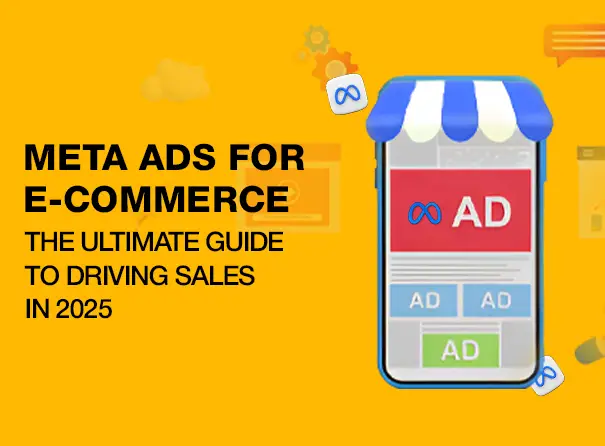
Meta Ads Strategy for Small E-Commerce Businesses

If you run a small e-commerce business, Meta Ads (Facebook & Instagram) can help you reach more customers, increase sales, and grow your brand—without wasting money. But to make it work, you need the right strategy.

Here’s a simple, step-by-step approach to running successful Meta Ads for your store.

1️ Pick the Right Ad Goals 🎯

Before running ads, decide what you want to achieve. For small e-commerce businesses, these goals work best:

Sales (Conversions) – Show ads to people who are most likely to buy.
Website Traffic – Bring potential buyers to your site.
Engagement & Video Views – Get people interested in your products.
Retargeting – Bring back people who visited your site but didn’t buy.

2️ Create a Simple & Profitable Ad Funnel 🔥

To get the best results, set up your ads in three stages:

🔵 Step 1: Attract New Customers (Top of Funnel – TOFU)

✔️ Run video or carousel ads showcasing your products.
✔️ Target people with interests related to your products.
✔️ Use Lookalike Audiences to find people similar to your best customers.

🟠 Step 2: Nurture Potential Buyers (Middle of Funnel – MOFU)

✔️ Show ads to people who visited your website but didn’t buy.
✔️ Use testimonials, customer reviews, and product benefits to build trust.

🔴 Step 3: Convert & Retarget (Bottom of Funnel – BOFU)

✔️ Retarget people who added items to their cart but didn’t complete the purchase.
✔️ Offer limited-time discounts, free shipping, or bundle deals to encourage a sale.
✔️ Show real customer reviews to boost confidence.

3️ Find the Right Audience 🎯

Meta Ads allow you to target the right buyers, so you don’t waste money on the wrong people.

Lookalike Audiences – Target people who are similar to your past customers.
Interest-Based Targeting – Show ads to people who love similar products.
Retargeting Audiences – Bring back people who browsed your site or abandoned their cart.

4️ Create Scroll-Stopping Ads

People won’t stop to look at boring ads, so your content needs to grab attention fast.

Video Ads – Show how your product works in real life.
Carousel Ads – Highlight multiple products in one ad.
Customer Reviews & Testimonials – Build trust by showing real experiences.

Best Ad Copy Tips 📝

✔️ Speak to the Problem – “Tired of dry skin? Try our ultra-hydrating moisturizer!”
✔️ Highlight the Benefits – “Lightweight, long-lasting & cruelty-free.”
✔️ Create Urgency – “Only a few left! Order before midnight.”
✔️ Use Social Proof – “Over 10,000 happy customers!”

5️ Set the Right Budget & Bidding Strategy 💰

If you have a small budget, follow these tips:

Start with $10-$20 per day per campaign.
Use Lowest Cost Bidding to get the most sales for your budget.
Increase the budget slowly on ads that perform well.

6️ Track, Optimize & Scale 📊

You won’t get everything right the first time, so it’s important to analyze & improve your ads regularly.

✔️ Pause underperforming ads to save money.
✔️ Check ROAS (Return on Ad Spend) – Focus budget on ads that make you the most profit.
✔️ A/B Test Different Ads – Try new headlines, images, and offers to see what works best.
✔️ Run Flash Sales & Special Offers – Use seasonal discounts to boost sales.

🚀 Want to Grow Your Online Store with Meta Ads?

A smart ad strategy will help you get more sales without wasting money.

📩 Need expert help? Contact us at magnifymindsmedia@gmail.com or visit www.magnifymindsmedia.in for a free consultation!

#MetaAds #FacebookAds #EcommerceMarketing #SmallBusinessGrowth #InstagramAds


Google Ads Strategy for Small E-Commerce Businesses

If you run a small e-commerce business, Google Ads can be a game-changer for increasing sales. But to get the best results, you need a smart strategy—not just random ads.

Here’s a step-by-step approach to help you attract high-intent buyers, lower ad costs, and maximize sales.

1️ Choose the Right Ad Campaigns 🎯

To get the best results, use a mix of different Google Ads campaign types:

Search Ads – Show up when people search for your product (e.g., “buy organic coffee online”).

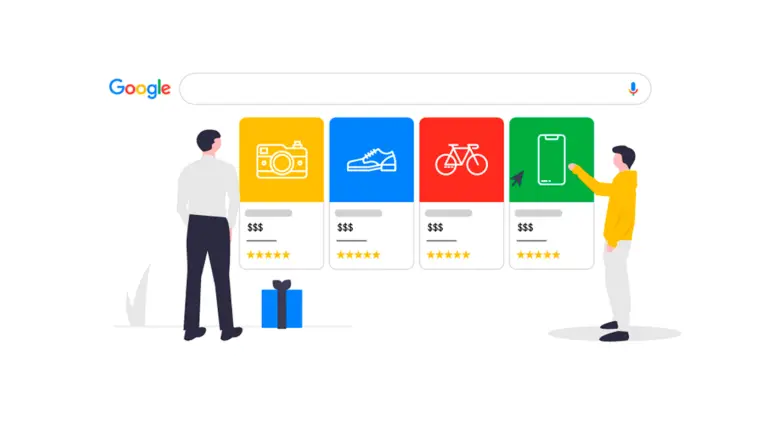
Shopping Ads – Display your product image, price, and rating right on Google. (Great for e-commerce!)

Performance Max – Automatically promotes your products across Search, YouTube, Display, and Discover.

Remarketing Ads – Show ads to people who visited your site but didn’t buy. (Remind them of your products!)

2️ Find the Right Keywords 🔍

Your ads should focus on people who are ready to buy, not just browsing.

High-Intent Keywords (Best for sales)

  • “Buy wireless headphones online”
  • “Best organic skincare products”

Competitor Keywords (Steal customers from big brands)

  • “Nike shoes alternative”
  • “Cheaper alternative to Apple AirPods”

Long-Tail Keywords (Less competition, more conversions)

  • “Where to buy eco-friendly yoga mats”

Negative Keywords (Block unwanted traffic)

  • Add “free,” “cheap,” “DIY” to avoid clicks from non-buyers.

3️ Smart Bidding & Budgeting 💰

If you’re working with a limited budget, follow this approach:

Start with Manual Bidding – Control your spending in the beginning.
Switch to “Maximize Conversions” – Once you get enough data, let Google optimize for more sales.
Use “Target ROAS” – Scale your ads profitably by telling Google to focus on return on ad spend.

💡 Budget Tip: Start with $10-$20 per day per campaign. Increase budget only for profitable campaigns.

4️ Create Ads That Actually Convert ✍️

People won’t click on boring ads. Make them catchy, clear, and action-driven:

Write Attention-Grabbing Headlines

  • “50% Off Handmade Jewelry – Limited Stock!”
  • “Best Vegan Skincare – Free Shipping Over $50”

Highlight Offers & Benefits

  • Free shipping, fast delivery, easy returns.

Use Strong CTAs (Calls to Action)

  • “Shop Now,” “Order Before Midnight,” “Limited Stock – Hurry!”

Test Different Ad Variations

  • Try different headlines, images, and offers to see what works best.

5️ Optimize Your Website for More Sales 🛒

Even the best ads won’t work if your website isn’t optimized for conversions. Fix these:

Fast Loading Speed – Aim for under 3 seconds.
Clear Product Descriptions & Images – Show your product in detail.
Trust Signals – Display customer reviews, secure payment badges.
Easy Checkout Process – Fewer clicks = More sales!

6️ Retarget Visitors & Recover Lost Sales 🔄

Most people don’t buy on their first visit. Bring them back with remarketing ads:

Cart Abandonment Ads – Remind shoppers to complete their purchase.
Past Visitors Ads – Show them the products they viewed.
Lookalike Audiences – Target people similar to your best customers.

7️ Track & Optimize for Better Results 📊

Every week, analyze your campaign performance:

Check Search Term Reports – Discover new profitable keywords & block irrelevant ones.
Monitor ROAS (Return on Ad Spend) – Focus on the campaigns bringing the most profit.
A/B Test Ads & Landing Pages – Keep testing headlines, images, and offers to improve results.

🚀 Want to Scale Your Online Store with Google Ads?

A smart, data-driven strategy will help you get more sales without wasting money.

📩 Need expert help? Contact us at magnifymindsmedia@gmail.com or visit www.magnifymindsmedia.in for a free consultation!

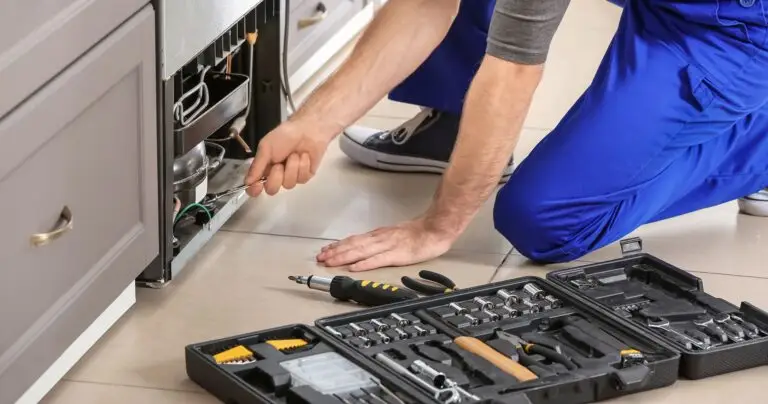
Google Ads Strategy to Get More Appliance Repair Leads

If you run an appliance repair business in the USA, you need customers who are ready to book a service now. A well-structured Google Ads strategy ensures that when people search for “washer repair near me” or “best refrigerator repair in [city],” your business appears first.

Here’s a simple, high-converting strategy to get more calls, bookings, and leads from Google Ads.

1️ Set Up Targeted Search Ads

Instead of running one broad campaign, break your ads into specific services and locations. This increases relevance, lowers costs, and improves conversions.

Example Ad Group Setup:

Refrigerator Repair – New York
📌 Keywords: [refrigerator repair NYC], [best refrigerator repair near me], [fridge service New York]

Washer Repair – Los Angeles
📌 Keywords: [washer repair LA], [washing machine repair near me], [best washer repair LA]

Dishwasher Repair – Chicago
📌 Keywords: [dishwasher repair Chicago], [dishwasher service near me], [best dishwasher repair Chicago]

Dryer Repair – Miami
📌 Keywords: [dryer repair Miami], [clothes dryer repair near me], [best dryer repair Miami]

Ad Example:

🛠️ “Fast & Affordable Refrigerator Repair in NYC!”
✔️ Same-Day Service | 24/7 Emergency Repairs
📞 Call Now – Get a Free Quote!
🔹 CTA: “Schedule Your Repair Today”

2️ Focus on Local Customers with Google My Business & Local Ads

Since most appliance repair customers search for local services, make sure your ads only target cities where you operate.

How to Optimize Local Targeting:

Set Location Targeting to Specific Cities – Avoid wasting budget on areas you don’t serve.
Use Google Local Service Ads (LSA) – Appear at the top of search results for “appliance repair near me” searches.
Optimize Your Google My Business Profile:

  • Keep your business hours, services & locations updated.
  • Get customer reviews to build trust and rank higher.
  • Add photos & service descriptions to attract more customers.

3️ Smart Budget & Bidding Strategy

To get the best ROI, spend your budget wisely based on high-performing keywords and locations.

Budget Split:

📊 70% on Google Search Ads – Targeting high-intent customers.
📊 30% on Google Local Services Ads (LSA) – Capturing local leads directly.

Bidding Strategy:

🎯 Start with “Maximize Clicks” – To quickly gather data.
🎯 Switch to “Maximize Conversions” – After 2 weeks, focus on actual leads.

4️ Track & Optimize for Better Results

A great Google Ads campaign needs regular tracking and optimization to avoid wasted spend and improve performance.

Track Calls & Form Submissions – Use Google Tag Manager to measure leads.
Check Click-Through Rate (CTR) – If CTR is below 5%, tweak ad copy and test new headlines.
Add Negative Keywords – Stop wasting money on searches like:

  • “free appliance repair”
  • “DIY refrigerator fix”
  • “warranty service”

🚀 Ready to Get More Repair Leads?

📩 Need expert help running high-converting Google Ads? Contact us at magnifymindsmedia@gmail.com or visit www.magnifymindsmedia.in

Step-by-Step Guide to Google Ads for Real Estate in Dubai
Campaign Structure: Organize for Better Results

Create Separate Campaigns for Each Country – This allows better targeting, budgeting, and performance tracking.

segment by Buyer Intent:

High Intent (Ready to Buy): “Buy luxury apartments in Dubai”

Mid Intent (Researching): “Best real estate investments in the UK”

Low Intent (Awareness): “Top cities for real estate investment”

Optimize for Devices: Higher bids for mobile users in regions like UAE and India, where mobile searches are high.

Advanced Keyword Strategy:

Target Serious Buyers

Use High-Intent Keywords:

“Luxury homes for sale in [city]”

“Invest in real estate in [country]”

Target Competitor Keywords:

“Emaar properties for sale”

“Best luxury real estate in Dubai”

Use Negative Keywords: Avoid irrelevant traffic (e.g., “cheap apartments,” “rental listings”).

Smart Bidding & Budget Allocation

Use “Maximize Conversions” with Target CPA – Google’s AI will auto-optimize bids for better leads.

Distribute Budget Wisely: More budget for high-converting locations.

Adjust Bids Based on Time & Location: Higher bids for peak hours and high-demand areas.

Outbid Competitors: Monitor competitor ads and adjust bids for top-performing keywords.


Create High-Converting Ads

Use Engaging Ad Copy:

“Own a Dream Home in Dubai – Limited Units Left!”

“Invest in UK Real Estate – High ROI Opportunities!”

A/B Test Different Ad Versions: Find out which headlines and descriptions perform best.

Use Dynamic Keyword Insertion (DKI): Show users exactly what they searched for.

Leverage Responsive Search Ads (RSA): Let Google optimize the best combinations of headlines and descriptions.

Optimize Landing Pages for Conversions

Create Separate Landing Pages for Each Market – Localized content works best.

Ensure Fast Load Speed: A slow page can kill conversions.

Use verified buyer testimonials and success stories.

Use Strong Calls to Action (CTAs):

“Book a Free Consultation”

“View Exclusive Listings Now”

Retargeting & Audience Segmentation

Retarget Visitors Who Didn’t Convert: Show them specific ads based on the pages they visited.

Use Lookalike Audiences: Target people similar to past high-value buyers.

High-Intent Remarketing (90-Day Window): Keep your brand in front of serious buyers.

Run Multi-Platform Retargeting: Show ads on Google, Facebook, Instagram, and YouTube to reinforce brand awareness.


Track Calls

Use Call Tracking: Measure phone inquiries from ads.

Use AI Chatbots: Automatically qualify leads and schedule consultations.


Performance Monitoring & Optimization

Check Performance Weekly: Adjust bids and budgets based on real-time data.

Review Search Term Reports: Discover new keyword opportunities and add negative keywords.

A/B Test Regularly: Experiment with ad creatives, landing pages, and CTAs.

Analyse Conversions: Track customer journeys to understand what’s working.


Want to grow your business?
Connect with us today at magnifymindsmedia@gmail.com or visit our website at www.magnifymindsmedia.in to learn more about how we can help you reach more potential patients and grow your clinic’s online presence.


Local Business Growth with Meta Ads: A Step-by-Step Guide

Want to attract more local customers to your business? Meta Ads (formerly Facebook Ads) can help you reach people in your area, increase brand awareness, and drive more foot traffic or leads. This guide will show you exactly how to use Meta Ads effectively for local business growth.

  1. Why Use Meta Ads for Local Business?

Hyper-Targeted Reach: Show your ads only to people in your service area.
Cost-Effective Advertising: Reach thousands of potential customers without breaking the bank.
Engagement-Driven: Meta Ads allow for direct interactions through likes, comments, and shares.
Multiple Ad Formats: Use images, videos, carousels, and stories to showcase your business.

💡 Pro Tip: Combine Meta Ads with organic content for maximum visibility!

  1. Setting Up a High-Converting Local Meta Ads Campaign

Follow these steps to launch a campaign that delivers real results:

Step 1: Define Your Objective 🎯

  • Choose the right campaign goal (store visits, messages, calls, or website traffic).
  • Make sure your business address and contact details are updated on your Facebook page.

Step 2: Target the Right Audience 📍

  • Use location targeting to focus on a specific city, region, or radius around your business.
  • Define your ideal customer by age, interests, and behaviors.
  • Retarget website visitors and previous customers for better conversion rates.

Step 3: Create Engaging Ad Creatives 🎨

  • Use high-quality images or videos that highlight your products/services.
  • Add customer testimonials, promotions, or behind-the-scenes content.
  • Keep your copy short, engaging, and focused on solving customer needs.

💡 Tip: Video ads get higher engagement than static images—consider creating a short promo video!

  1. Budget & Bidding Strategies for Local Ads

💰 Start Small & Scale Up – Begin with a daily budget of $5–$10 and increase based on performance.
📊 Use Cost-Per-Click (CPC) or Cost-Per-Lead (CPL) Bidding – Optimize for the action that matters most to your business.
Give It Time – Allow at least 7 days before making significant changes.

💡 Budget Hack: Run special offers or discounts in your ads to boost conversions!

  1. How to Optimize Meta Ads for Better Results

🚀 A/B Test Different Creatives – Try multiple images, headlines, and descriptions to see what works best.
🎯 Refine Your Audience Targeting – Exclude irrelevant groups and focus on high-intent users.
🔄 Use Retargeting – Show ads to people who visited your website but didn’t convert.
📈 Monitor & Adjust – Check performance metrics daily and tweak underperforming ads.

💡 Pro Tip: Use Facebook Pixel to track conversions and optimize ad delivery!

  1. Common Mistakes to Avoid

Not Defining a Clear Objective – Make sure your goal aligns with your ad campaign type.
Ignoring Local Audience Preferences – Customize your ads to reflect local culture, language, and interests.
Forgetting About Mobile Optimization – Ensure your ads look great on mobile devices.
Not Testing Different Ad Formats – Experiment with carousel, video, and lead form ads to find what works best.

Final Thoughts

Meta Ads are a powerful tool for local business growth. With the right strategy, you can attract more customers, boost engagement, and increase sales. Start small, test different approaches, and refine your campaigns based on real data.

📢 Your Turn! Have you used Meta Ads for your local business? Share your experience in the comments! 🚀


Want to grow your business?
Connect with us today at magnifymindsmedia@gmail.com or visit our website at www.magnifymindsmedia.in to learn more about how we can help you reach more potential patients and grow your clinic’s online presence.


The Ultimate Guide to Performance Max for E-commerce Growth

Want to take your e-commerce business to the next level? Google’s Performance Max (P Max) campaigns can help you reach more customers across multiple platforms, including Search, Display, YouTube, Gmail, and Discover. This guide will break it down in simple terms so you can start seeing results fast.

  1. Why Use Performance Max for Your Online Store?

More Exposure: Your ads appear across Google’s biggest platforms.
AI-Driven Optimization: Google automatically fine-tunes targeting and bidding to get the best results.
Less Manual Work: Set your goals, provide assets, and let Google handle the rest.
Creative Testing: Google mixes and matches different images, videos, and text to find what works best.

💡 Pro Tip: Use P Max alongside Search and Shopping campaigns for the best performance!

  1. How to Set Up a Winning P Max Campaign

Here’s how to launch your campaign the right way:

Step 1: Define Your Goals 🎯

  • Choose a clear objective (sales, leads, or website traffic).
  • Make sure conversion tracking is set up correctly.

Step 2: Upload High-Quality Assets 📸

  • Use a mix of product images, lifestyle photos, and promotional banners.
  • Add multiple headlines and descriptions to test different messages.
  • If you don’t have a video, Google can create one for you automatically!

Step 3: Use Audience Signals 🔍

  • Upload your email lists or customer data for better targeting.
  • Add interest-based signals to help Google find the right buyers.

Step 4: Optimize Your Product Feed 🛍

  • Make sure product titles and descriptions include relevant keywords.
  • Use high-quality images and keep stock levels updated.
  1. Budget & Bidding Tips

💰 Start Small & Scale Gradually – Begin with a moderate budget and increase as you see results.
📈 Set a Realistic ROAS Goal – Don’t make your return on ad spend (ROAS) target too high, or your ads may not get enough reach.
Be Patient – Give your campaign at least two weeks to collect data before making big changes.

💡 Smart Move: Focus your budget on high-performing products and pause the low-performers.

  1. How to Optimize P Max for Maximum Sales

🚀 Check Performance Insights Regularly – See which ads, placements, and audiences are working best.
🎯 Refine Audience Signals – Update and test new signals to improve targeting.
🔁 Swap in New Assets – Refresh images, videos, and copy to keep engagement high.
⚙️ Use Automated Rules – Set rules to pause underperforming ads and shift the budget where it’s working best.

💡 Pro Tip: Use negative keywords in Search to avoid wasting money on low-intent traffic.

  1. Mistakes to Avoid

Not Checking Asset Performance – Regularly review which creatives are driving results.
Setting Unrealistic ROAS Goals – A goal that’s too aggressive can limit your ad reach.
Ignoring First-Party Data – Use your email lists and customer data for better audience targeting.
Forgetting Negative Keywords – Even though P Max doesn’t use traditional keywords, you can still exclude irrelevant searches.

Final Thoughts

Performance Max is a powerful tool for e-commerce businesses, but success comes from proper setup, ongoing optimization, and testing. Start small, analyse your results, and double down on what works.

📢 Your Turn! Have you tried Performance Max? Share your experience in the comments! 🚀

Want to grow your business?
Connect with us today at magnifymindsmedia@gmail.com or visit our website at www.magnifymindsmedia.in to learn more about how we can help you reach more potential patients and grow your clinic’s online presence.