
Search for:
Advanced Google Ads Strategy for Real Estate Agents in 2025 🚀
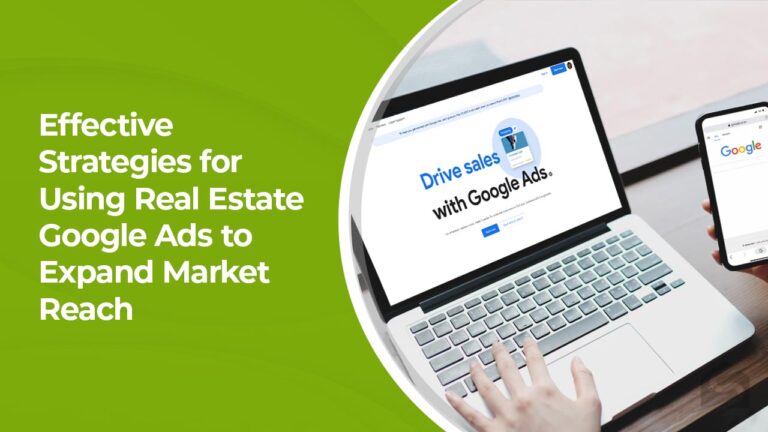
Google Ads can be a game-changer for real estate agents—if used correctly. But with rising competition, basic strategies won’t cut it anymore. To generate high-quality leads, reduce ad costs, and close more deals, you need a smarter approach.

Here’s an advanced Google Ads strategy designed to help real estate agents attract serious buyers and sellers while making the most of their budget.

  1. Go Hyperlocal with Geo-Fencing & Zip Code Targeting

Instead of targeting an entire city, focus on high-value neighbour hoods and zip codes where homes sell faster and at higher prices.

💡 Pro Tip: Create dedicated landing pages for each area. Example: “Luxury Homes for Sale in Beverly Hills (90210).”

  1. Target the Right Audience (Not Just Everyone)

Google’s audience options are powerful—but only if you layer them correctly.

✔️ In-Market Audiences: People actively searching for homes or real estate agents.
✔️ Custom Intent Audiences: Users who recently searched for “homes for sale in [city]” or “sell my house fast.”
✔️ Life Events Targeting: People moving, getting married, or growing their family—likely buyers & sellers.
✔️ Retargeting & CRM Uploads: Show ads to past website visitors or existing contacts to stay top-of-mind.

💡 Pro Tip: Adjust your messaging for each audience. First-time homebuyers need educational content, while luxury buyers want exclusive listings.

  1. Use AI-Powered Bidding & Smart Budgeting

Don’t just throw money at ads—split your budget based on lead quality:

✔️ 50% → High-intent buyer searches (“buy a house in [city]”)
✔️ 30% → Motivated sellers (“sell my home in [city] fast”)
✔️ 20% → Retargeting past visitors & branding campaigns

💡 Pro Tip: Start with “Maximize Conversions” and switch to Target CPA after gathering enough data.

  1. Automate Lead Qualification (No More Wasted Time)

Not all leads are worth your time. Use AI-powered chatbots & automated follow-ups to filter out unqualified inquiries.

✔️ Set up a chatbot (e.g., Many Chat) to ask pre-qualifying questions like:

  • “Are you pre-approved for a mortgage?”
  • “Are you looking to buy within 3 months?”
  • “Do you need to sell before buying?”

✔️ Instant follow-ups: Send automated texts/emails to new leads within 5 minutes (this dramatically boosts conversions!).

💡 Pro Tip: Connect Google Ads to your CRM (like HubSpot or Salesforce) so only the best leads get assigned to your team.

  1. Dominate YouTube & Discovery Ads for Brand Authority

Most agents ignore YouTube & Google Discovery Ads, but they’re goldmines for real estate marketing.

✔️ YouTube Video Ads: Run property walkthroughs, market updates, and client testimonials.
✔️ Discovery Ads: Show real estate ads inside Gmail, YouTube, and the Google Discover feed.
✔️ Retargeting with Video: Follow up with users who watched your videos but didn’t take action.

💡 Pro Tip: Use 15-30 second video ads for brand awareness, then retarget with longer videos showcasing specific properties.

  1. Retarget Website Visitors with Dynamic Ads

Not every website visitor converts on the first visit—but you can bring them back!

✔️ Dynamic Retargeting: Show ads featuring the exact properties users viewed on your site.
✔️ Exclusive Offers: Use “Just Listed” or “Price Reduced” ads to re-engage potential buyers.

💡 Pro Tip: If someone clicked on a seller-related page, show them an ad for a “Free Home Valuation” instead of a general ad.

  1. Build High-Converting Landing Pages

Even the best ads will fail if your landing page doesn’t convert visitors into leads.

✔️ Must-Have Features:
✅ Fast-loading (under 3 seconds)
✅ No distractions (remove navigation links)
✅ High-quality images & virtual tours
✅ Strong CTA (e.g., “Get Instant Property Listings”)
✅ Click-to-call & WhatsApp chat for instant engagement

💡 Pro Tip: A/B test different CTAs like “Schedule a Free Consultation” vs. “Claim Your VIP Home Tour” to see which converts better.

Final Thoughts: Scale Your Real Estate Business with Google Ads

Google Ads isn’t just about getting clicks—it’s about getting serious buyers & sellers who are ready to take action.

Want to grow your business?
Connect with us today at magnifymindsmedia@gmail.com or visit our website at www.magnifymindsmedia.in to learn more about how we can help you reach more potential patients and grow your clinic’s online presence.


Best Meta Ad Strategies for E-commerce Stores in 2025 🚀

Meta Ads are evolving rapidly, and e-commerce businesses must adapt to stay ahead. With increasing competition and rising ad costs, simply running ads isn’t enough—you need smart, data-driven strategies to maximize ROI.

Here are the best Meta Ad strategies to help your e-commerce store scale profitably in 2025.

  1. Leverage AI-Powered Advantage+ Shopping Campaigns

Meta’s Advantage+ Shopping Campaigns use AI to automatically optimize ad delivery, audience targeting, and budget allocation. This feature helps brands improve efficiency and drive more conversions with less manual work.

Why Use It?

✅ Finds the best-performing audiences automatically
✅ Optimizes budget allocation for maximum ROI
✅ Reduces time spent on manual campaign adjustments

💡 Pro Tip: Upload multiple ad creatives (images, videos, and carousels) to let Meta test and choose the best-performing ones.

  1. Focus on Video & UGC Content for Higher Engagement

In 2025, video content is dominating Meta Ads. Consumers engage more with short-form videos, making them essential for e-commerce success.

Best Video Formats for E-commerce Ads:

🎥 Product Demos – Show your product in action within the first 3 seconds.
👩‍💻 User-Generated Content (UGC) – Influencer testimonials and real customer experiences build trust.
🎭 Before & After Transformations – Ideal for beauty, fitness, and home improvement products.
Problem-Solution Ads – Address pain points and position your product as the perfect solution.

💡 Pro Tip: Ensure your videos are short (15-30 seconds), engaging, and have clear CTAs like “Shop Now” or “Limited Stock Available.”

  1. Smart Retargeting & Lookalike Audiences for Higher Conversions

Retargeting is still one of the most powerful Meta Ad strategies, and combining it with AI-driven Lookalike Audiences can help you scale faster.

Key Retargeting Segments to Focus On:

🔁 Cart Abandoners – Remind them with an exclusive discount.
👀 Website Visitors (Last 30 Days) – Target those who browsed but didn’t buy.
❤️ Engaged Social Media Users – Reach people who liked, shared, or commented on your content.

Best Lookalike Audiences to Scale Your Store:

2%-5% Lookalikes of Your Best Customers – Find high-value buyers.
Lookalikes of Engaged Shoppers – Reach people similar to those who interacted with your ads.
Lookalikes of High AOV (Average Order Value) Customers – Attract big spenders.

💡 Pro Tip: Exclude past buyers from prospecting campaigns to avoid wasting ad spend.

  1. Optimize for Mobile & Fast Checkout

Most e-commerce purchases happen on mobile, so your ads and website must be mobile-optimized for a seamless shopping experience.

How to Improve Mobile Conversions:

📱 Use fast-loading landing pages (less than 3 seconds load time).
🛒 Enable one-click checkout (Shopify Shop Pay, Apple Pay, Google Pay).
🛍️ Activate Instagram & Facebook Shops for a native shopping experience.

💡 Pro Tip: Keep CTAs simple and direct, like “Buy Now,” “Limited Stock,” or “Free Shipping Today!”

  1. Scale Efficiently with Budget Optimization

Scaling Meta Ads requires a structured budget strategy. The best approach in 2025 is to use Advantage Campaign Budget Optimization (CBO).

How to Scale Without Overspending:

💰 Start with small budgets ($20–$50 per day per ad set).
📈 Increase budgets by 20-30% every few days (don’t double too fast).
⚖️ Use CBO to distribute budgets based on ad performance automatically.
🔄 Duplicate winning campaigns with higher budgets and new audiences.

💡 Pro Tip: Monitor key metrics like CTR, ROAS, and Cost Per Purchase to avoid scaling unprofitable ads.

  1. Leverage First-Party Data & Email Retargeting

With privacy updates limiting tracking, first-party data (customer emails, past purchase history) is now more valuable than ever.

How to Use First-Party Data in Meta Ads:

📩 Upload customer email lists to Meta for retargeting and loyalty campaigns.
🎯 Segment past buyers and upsell complementary products.
🎁 Offer VIP deals to high-value customers through exclusive ads.

💡 Pro Tip: Combine email marketing with Meta Ads to create a strong remarketing funnel and boost repeat purchases.

Final Thoughts

The key to success with Meta Ads in 2025 is automation, creative testing, and smart audience targeting. By implementing these strategies, you can reduce ad costs, improve conversion rates, and scale profitably.

Want to grow your business?
Connect with us today at magnifymindsmedia@gmail.com or visit our website at www.magnifymindsmedia.in to learn more about how we can help you reach more potential patients and grow your clinic’s online presence.
Boost Your Online Store Sales with Google Ads:

A Simple Strategy If you’re running an eCommerce business and want to maximize sales with Google Ads, you need a strategy that’s effective and easy to implement. In this blog, we’ll break down a straightforward approach to help you drive more traffic, increase conversions, and grow your revenue.

  1. Leverage Google Shopping Ads Google Shopping Ads allow you to showcase your products with images, prices, and your store name directly in search results. This means potential customers can see exactly what you offer before they even visit your website.

How to Set It Up:

Upload your product feed to Google Merchant Center.

Create a Google Shopping campaign within Google Ads.

Why It Works:

Shoppers get a clear visual of your product, making them more likely to click and purchase.

  1. Use Smart Bidding for Better Results Instead of manually adjusting bids, let Google’s AI optimize your ads with Target ROAS (Return on Ad Spend) bidding.

How to Implement:

Set up Target ROAS as your bidding strategy.

Let Google adjust bids in real time to get the highest return possible.

Why It Works: Saves time and ensures your budget is used efficiently to drive the best sales results.

  1. Retarget Abandoned Carts Many shoppers add products to their carts but never complete the purchase. Retargeting them with personalized ads can bring them back.

How to Retarget Effectively:

Run Remarketing Ads targeting users who abandoned their carts.

Offer discounts or free shipping as an incentive to complete their purchase.

Why It Works: Reminds potential customers about their interest in your products and encourages them to take action.

  1. Experiment with Performance Max Campaigns Performance Max campaigns allow you to run ads across Google Search, Display, YouTube, and more, ensuring maximum exposure for your brand.

How to Get Started:

Upload high-quality images, videos, and text.

Set clear goals, such as conversions or sales.

Let Google’s AI optimize placements and bids.

Why It Works: Expands your reach and ensures your ads appear where your potential customers are spending time.

  1. Monitor & Optimize Your Campaigns Simply launching ads isn’t enough—you need to track their performance and make adjustments.

Key Metrics to Watch:

CTR (Click-Through Rate): Measures ad engagement.

Conversion Rate: Tracks how many clicks turn into purchases.

ROAS (Return on Ad Spend): Shows how much revenue you’re making for every dollar spent.

Why It Works:

Data-driven decisions lead to better performance and higher profitability.

Example: Selling Handmade Candles? Here’s How This Works:Shopping Ads display your candles in search results.

Remarketing Ads bring back visitors who didn’t buy.

Performance Max Ads promote your candles across multiple platforms.

Final Tip:

Start Small and Scale Up If you’re new to Google Ads, begin with a small budget and test different strategies. Once you see what works, scale up your campaigns for even greater results.

By following this strategy, you can drive more sales, improve your ad performance, and grow your online store efficiently.


Want to grow your business?
Connect with us today at magnifymindsmedia@gmail.com or visit our website at www.magnifymindsmedia.in to learn more about how we can help you reach more potential patients and grow your clinic’s online presence.
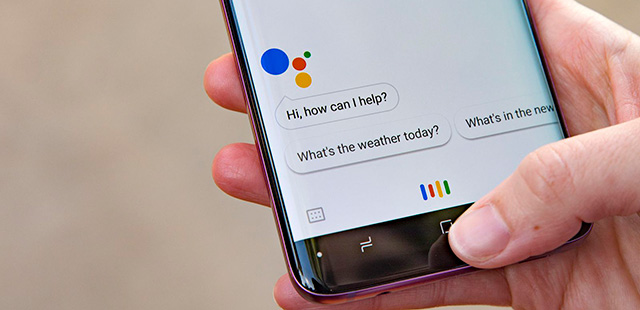
How to Use AI in Google Ads for Better Results

Google Ads can feel overwhelming, especially if you’re juggling multiple campaigns, keywords, and budgets. But what if you could let technology do the heavy lifting for you? That’s where AI comes in. Artificial Intelligence is no longer just a buzzword—it’s a game-changer for Google Ads. It can help you save time, target the right people, and get better results without constant manual tweaking.

In this blog, I’ll break down how you can use AI to make your Google Ads campaigns smarter, more efficient, and more effective—even if you’re not a tech expert.

AI Tools You Should Be Using

Here are some of the most powerful AI-driven features in Google Ads and how they can help you:

  1. Smart Bidding

What it does: Automatically adjusts your bids to get the most conversions or revenue.

Why it’s great: You set a goal (like a target cost-per-conversion or return on ad spend), and AI does the rest. No more guessing or manual bid adjustments.

  1. Responsive Search Ads (RSAs)

What it does: Tests multiple headlines and descriptions to find the best-performing combination.

Why it’s great: You don’t have to guess what works—AI figures it out for you and shows the best version to each user.

  1. Performance Max Campaigns

What it does: Runs ads across all Google platforms (Search, Display, YouTube, etc.) to maximize results.

Why it’s great: It’s a one-stop solution for reaching your audience wherever they are online.

  1. Audience Targeting

What it does: Uses AI to find users who are most likely to convert, like people actively searching for your products or those similar to your existing customers.

Why it’s great: You’re not wasting money showing ads to the wrong people.

  1. Dynamic Search Ads (DSAs)

What it does: Automatically creates ads based on your website content, filling in gaps in your keyword strategy.

Why it’s great: It’s perfect for large websites or businesses with frequently changing inventory.

Why You Should Use AI in Google Ads

Here’s why AI is a must for modern advertisers:

Saves Time: Automates repetitive tasks like bid adjustments and ad testing.

Improves Targeting: Finds the right audience for your ads.

Boosts ROI: Optimizes campaigns to get more value from your budget.

Provides Insights: Gives you data-driven recommendations to improve performance.

How to Get Started with AI in Google Ads

Ready to put AI to work? Here’s how to start:

Switch to Smart Bidding

Stop manually adjusting bids. Let AI optimize for conversions or revenue instead.

Create Responsive Search Ads

Write multiple headlines and descriptions, and let AI test them to find the best combo.


Try Performance Max Campaigns

Use this all-in-one campaign type to reach users across Google’s platforms.

Leverage Audience Targeting

Use AI-driven audiences like In-Market or Similar Audiences to reach people ready to buy.

Follow AI Recommendations

Check the “Recommendations” tab in Google Ads for tips on improving your campaigns.

Real-Life Example

Let’s say you run an online store selling eco-friendly products. Here’s how AI can help:

Smart Bidding maximizes sales during a holiday sale.

Responsive Search Ads find the best ad copy to drive clicks.

Performance Max runs ads on Google Search, YouTube, and Display to reach shoppers at every stage.

Audience Targeting shows your ads to people actively searching for eco-friendly items.

The result? More sales, less wasted ad spend, and happier customers.

Final Thoughts

AI isn’t here to replace you—it’s here to make your job easier. By using tools like Smart Bidding, Responsive Search Ads, and Performance Max, you can run smarter, more effective Google Ads campaigns without spending hours on manual adjustments.

So, why not give it a try? Start small, experiment with one or two AI features, and see how they work for you. You might be surprised at how much time and money you can save—and how much better your results can be.

Want to grow your business?
Connect with us today at magnifymindsmedia@gmail.com or visit our website at www.magnifymindsmedia.in to learn more about how we can help you reach more potential patients and grow your clinic’s online presence.

Voice Search & Google Ads: What Advertisers Need to Know.

Voice Search is on the Rise – More than half of all searches now happen through voice assistants like Alexa, Google Assistant, and Siri. This shift is changing the way people find information online.


People Talk, Not Type – Unlike traditional searches, voice queries are more conversational. Instead of typing “best digital marketing agency,” users ask, “What’s the best digital marketing agency near me?” Optimizing for long-tail keywords and natural language is key.


Local Searches Are Booming – Voice search is heavily used for finding local businesses. If you want to attract nearby customers, make sure your Google My Business profile is updated and optimized.


Ads Need to Adapt – To capture voice search traffic, use structured snippets, call and location extensions, and ensure your landing pages load fast and work well on mobile.


AI-Powered Bidding is a Game-Changer – Google’s automated bidding strategies help advertisers reach voice search users more effectively by adjusting bids in real time based on intent and behavior.


Track What Matters – Keep an eye on search terms, call extensions, and voice-driven traffic in Google Ads to understand how users interact with your ads through voice.


The Future is AI-Driven – Expect new ad formats and deeper integrations with AI assistants, making voice-based advertising even more powerful in the coming years.